2BizBox® Manual |
Go back to
|
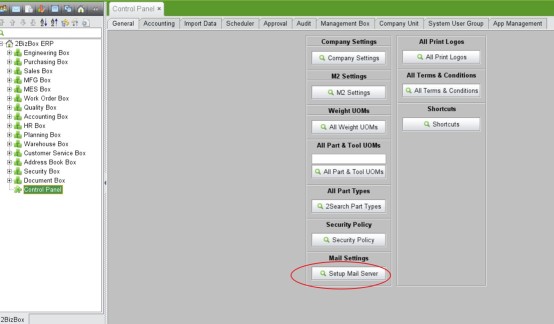
5.10 Microsoft365 Account Setup for Email Guide
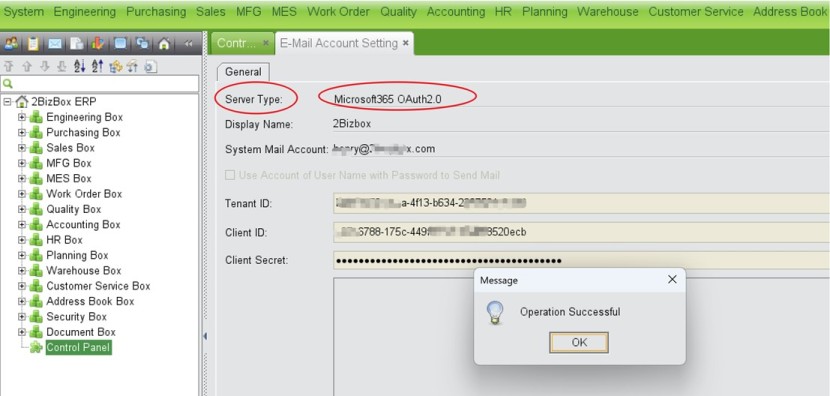
5.10.1 Setting Microsoft365 OAuth2.0 in 2BizBox V7.1.0
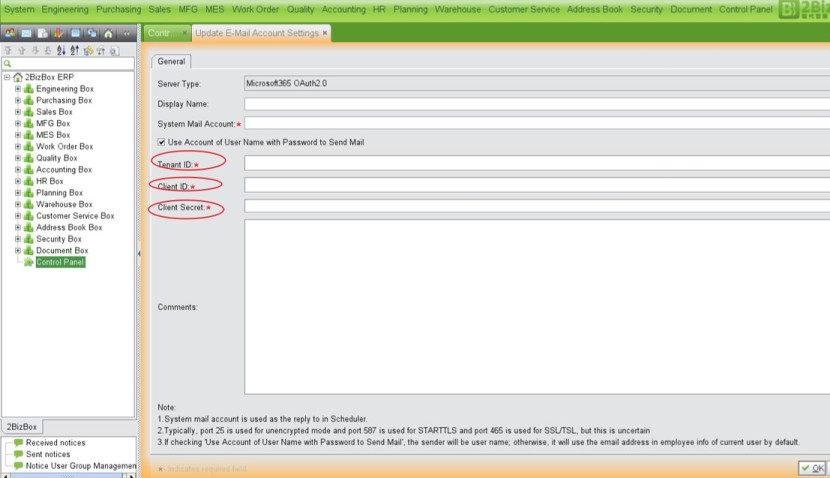
When we select Microsoft365 OAuth2 as server type, the following 3 parameter need to be filled in:
- Tenent ID
- Client ID
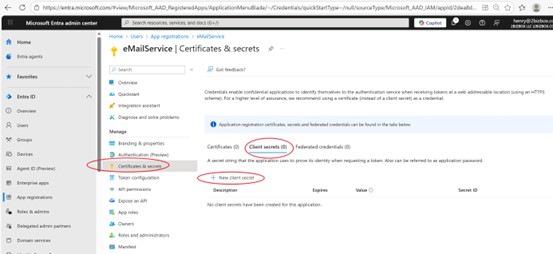
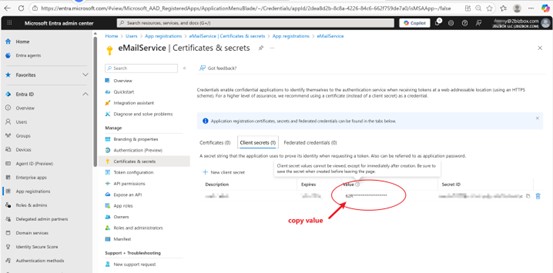
- Client Secret
To get the above values, we need to setup in Microsoft365 admin page.
5.10.2 Microsoft365 Account Setup for Email Sending
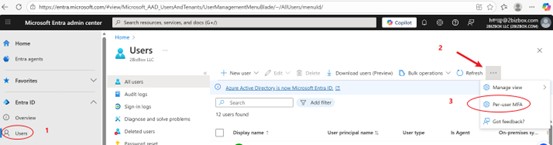
- Access the portal: https://entra.microsoft.com
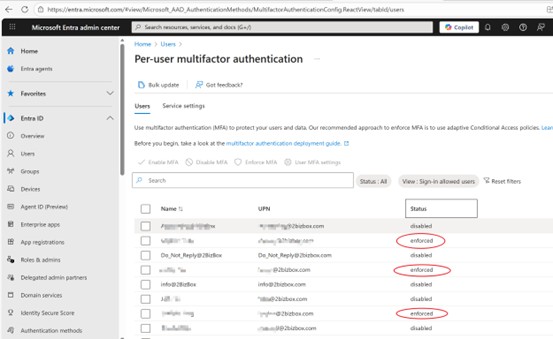
- Requirement: The MFA status for all administrator accounts must be set to "Enforced".
Register a New Application
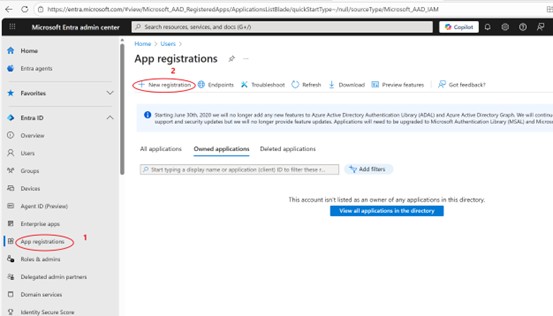
- Navigate to App registrations (under the Microsoft identity platform).
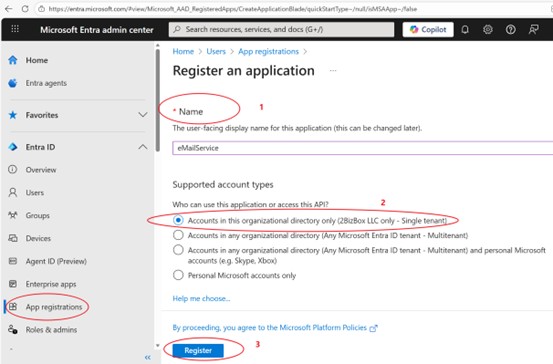
- Complete the app registration process.
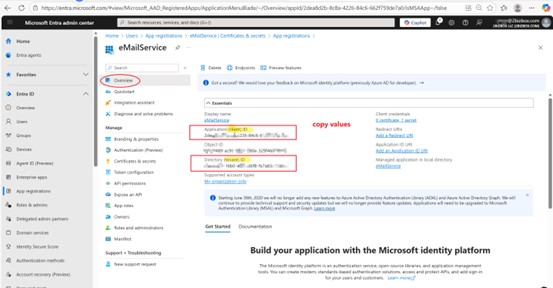
- Copy and save the following critical IDs immediately after registration:
- Application (client) ID
- Directory (tenant) ID
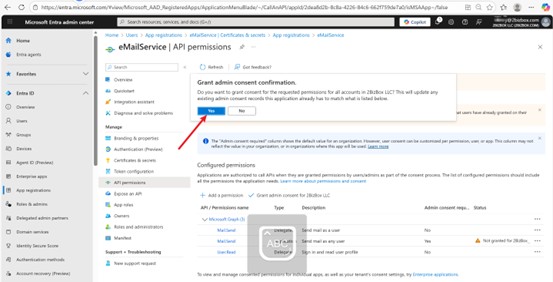
Configure API Permissions
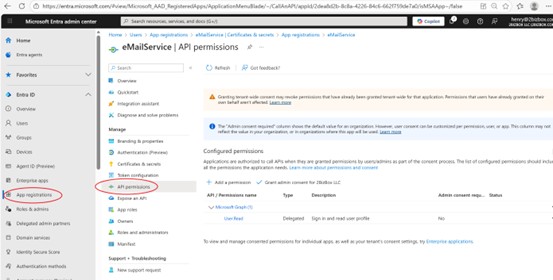
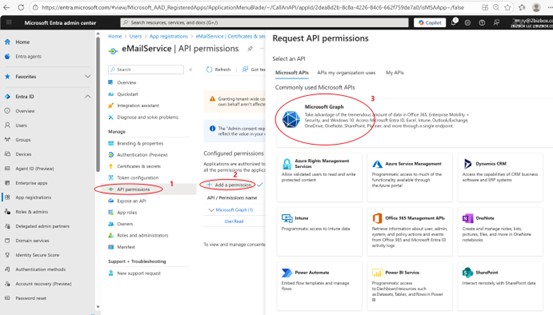
- Select the registered application and go to API permissions.
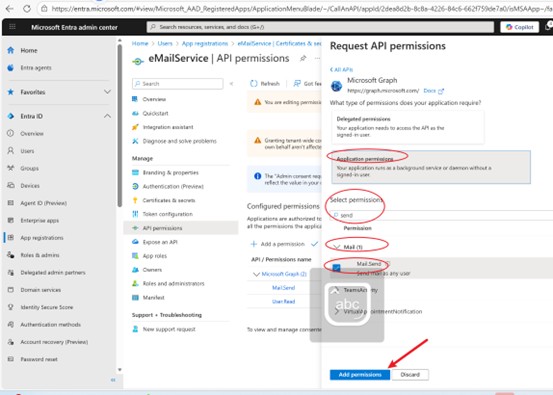
- Add permissions for Microsoft Graph API:
- Delegated permissions: Add the Mail.Send permission.
- Application permissions: Add the Mail.Send permission (send mail as any user).
- Additional required permission: User.Read (Delegated, for signing in and reading user profiles).
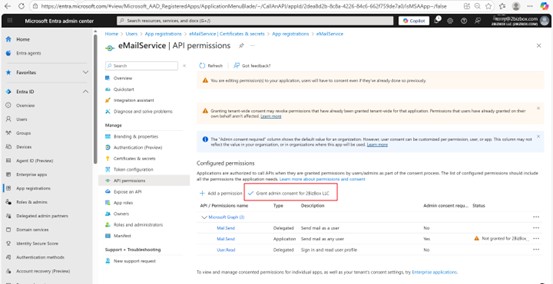
- Verify and confirm all permissions are correctly added.
- Ensure admin consent is granted for application permissions (marked as "Yes" in Admin consent required).